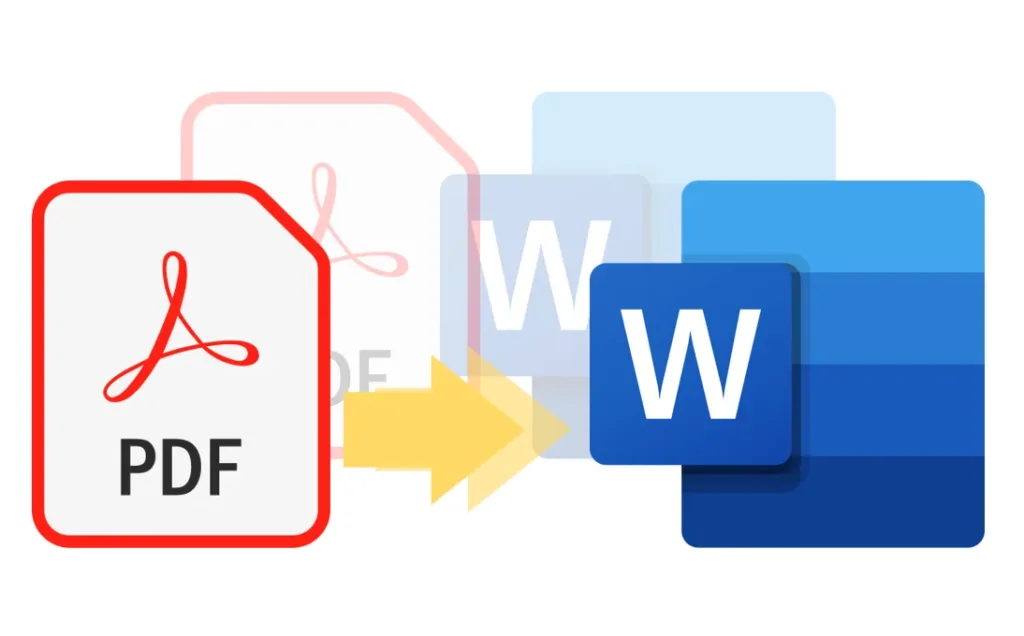
Pada tutorial singkat ini Mahmudan akan menunjukkan cara cepat konversi PDF ke Word hanya dengan 4 langkah mudah kamu lakukan.
If you already have an Office package 2021 yang di dalamnya sudah ada aplikasi Word, kamu tidak perlu lagi membuka aplikasi konversi online seperti ILovePdf untuk melakukannya. Kamu bisa dengan mudah dan cepat mengonversi file PDF menjadi WORD hanya dengan beberapa klik saja. Only one requirement: aplikasi Word-2021.
List of contents
How to Convert PDF to Word using Word-2021
Here are the steps to convert a PDF file into an editable Word file :
Total Time: 2 minutes
1. Open the Word-2021 application
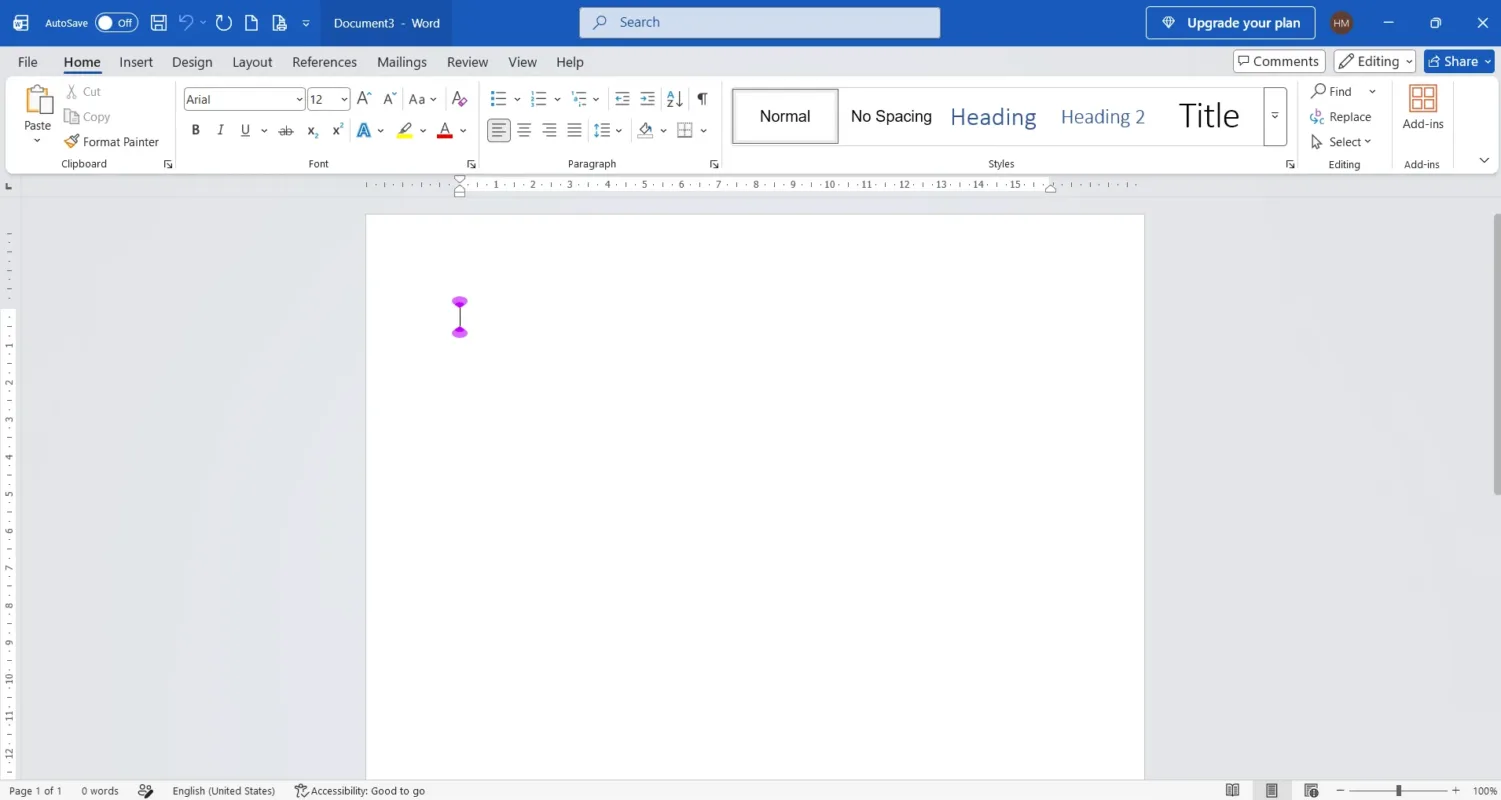
Make sure you have installed the Office-2021 package then run the application Word
2. Select the menu Open File
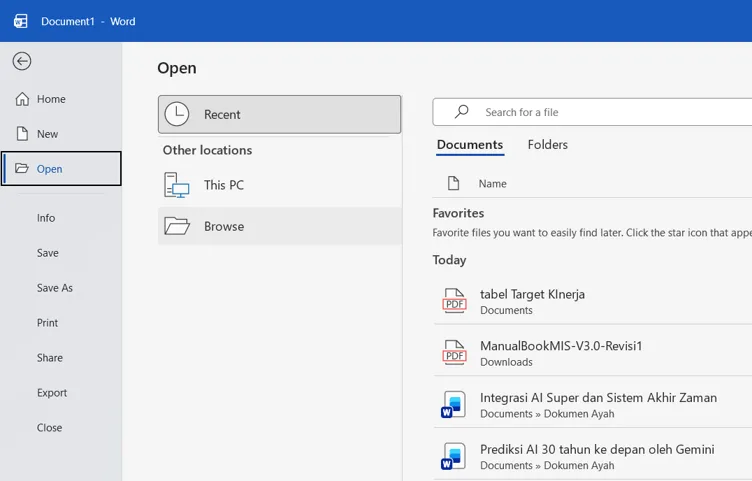
Open the menu Open File to select a PDF file. On the front screen of the Word application, select menu File, choose Open then select Browse. You can also use the shortcut button press Ctrl + O
3. Select PDF File
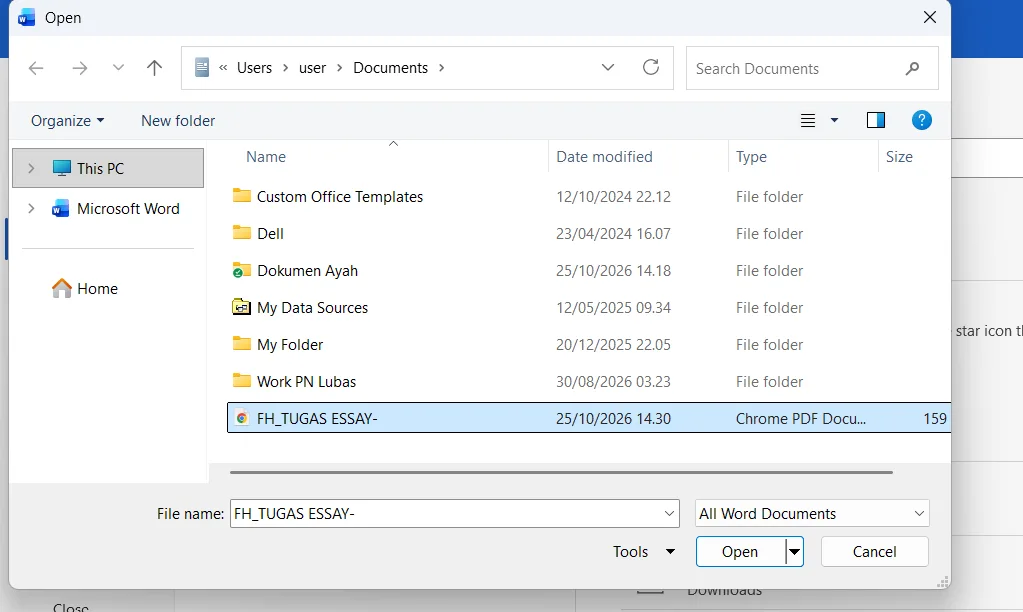
In file explorer, Double click the name of the PDF file that you want to convert to Word
4. Confirm OK
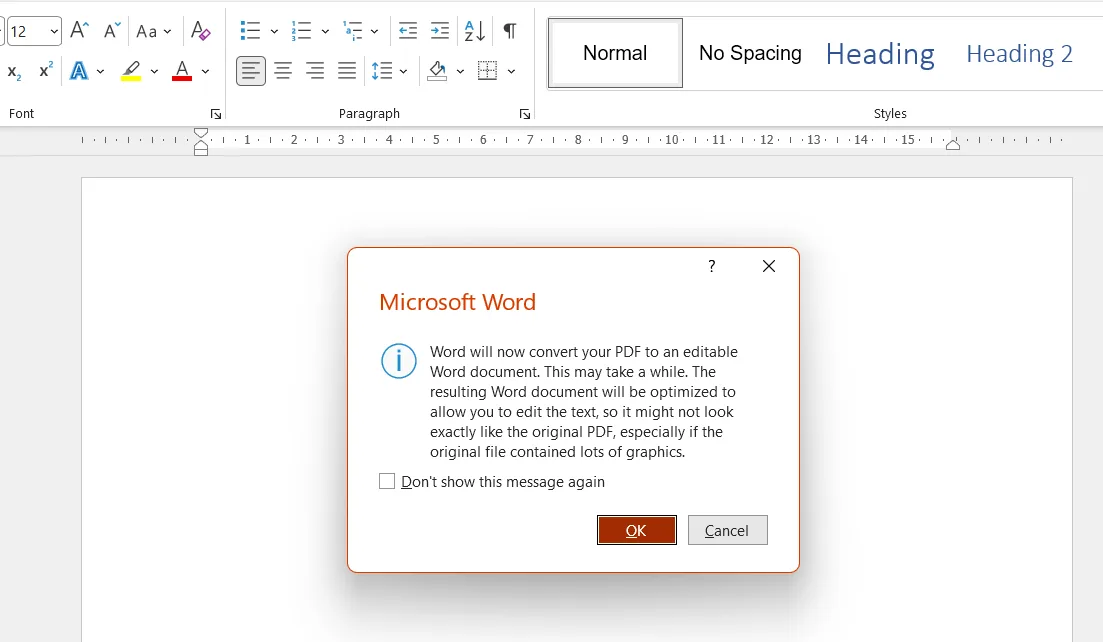
Word Application 2021 will display a dialog box containing a notification that Word will convert your PDF file into an editable Word file. Click the button OK to continue.
5. Finished
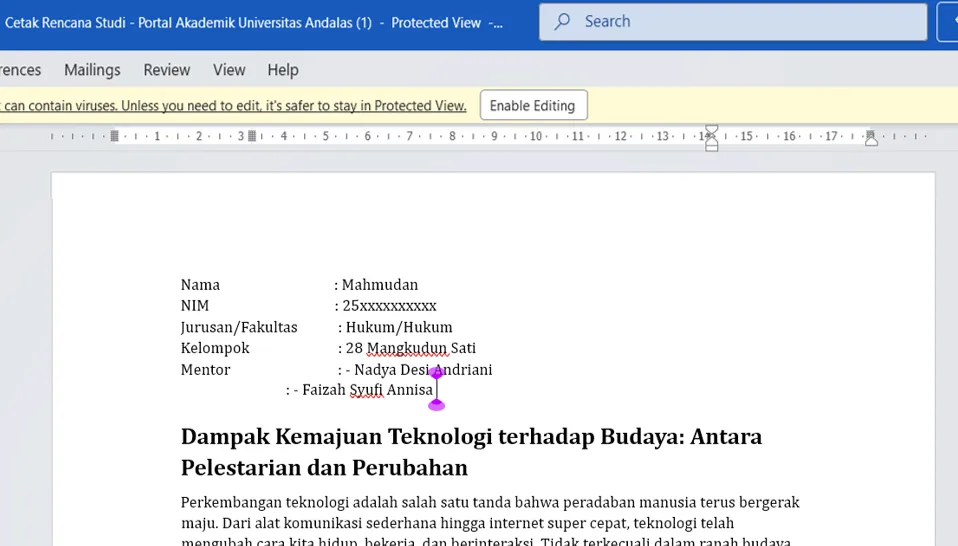
Finished, Your PDF file has been converted into a Word file and is ready for editing. If a warning appears Protecting View at the top, click the button Enable Editing. The Protecting View warning usually appears when the file being opened comes from the internet.
How, quickly and easily convert PDF files to Word right?