There are some things that computer users should know even if they are not computer experts. In order to avoid or at least minimize the risk of loss due to inappropriate computer use
Apart from providing quite large benefits, computer use can also cause losses if not used properly and accurately. Data loss or leak, or becoming a victim as a result of internet crime is one of the losses that often occurs recently.
Apart from maintaining security by implementing Windows computer security best tips, Every computer user also needs to pay attention to the following things.
List of contents
7 Things Computer Users Should Know
Keep Personal Information Secure
When using a computer online, One thing that computer users must know is to maintain the security of personal information. Using strong passwords and two-step authentication is an easy way to keep your personal information safe.
When you log in to a website or application such asfacebook ortwitter, You can use Two Factor Authentication (2FA) likeGoogle Authenticator orMicrosoft Authenticator to increase the security of digital accounts. Two-Factor Authentication works by providing a second confirmation to verify the user's identity.
Be suspicious of strange emails, do not click on suspicious links, and do not submit your personal information to any site that does not use HTTPS. Never use an open public Wi-Fi network without protection.
Manage Files and Applications Neatly
Next, What computer users need to know but often ignore is managing applications and files neatly. Storing files on the desktop can slow down your computer. On the contrary, organize similar files into easy-to-find folders. This will also help streamline the cleaning process when it comes time to remove unnecessary items.
Prioritize installing only applications that are necessary and support your work. Get more storage space by removing unnecessary programs from your device.
If you filter programs by size, You can see which programs are taking up the most memory and decide which programs can be removed.
When you or another user deletes a file, The file will go to the Recycling Bin. This gives you one last chance to rescue the files you have deleted, but it can also take up space on your hard drive if you don't clean it regularly.
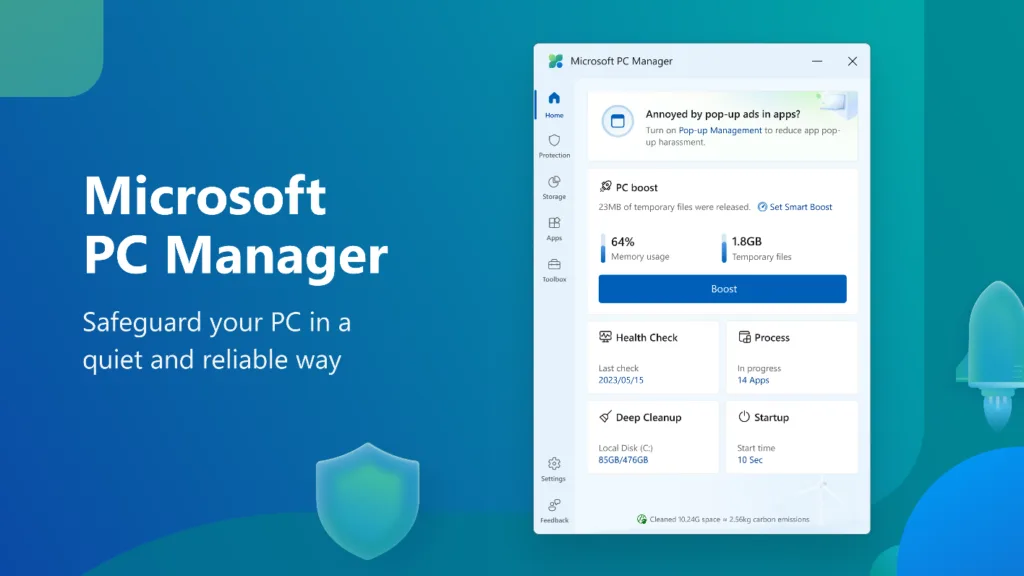
Once a month you should check the Recycling Bin for files that may have been accidentally deleted and clean out the rest. In Windows-11 latest version, you can clean junk files automatically and safely.
Also consider using cloud storage (Cloud Storage) such as OneDrive or Google Drive for automatic synchronization and data backup in case of hardware failure
Take Care of the Battery to Make It Last Longer
If you want to save expenses, Caring for the battery so that it lasts longer is one of the things you need to know. Lithium-ion batteries work best when they are slightly discharged. Lithium-ion batteries do not need to be fully charged 100% all the time. Better stick to the rules 40% – 80%. If you charge the battery up to 100%, do not leave the battery connected to the cable after recharging is complete.
Several computer manufacturers have provided software or applications (Smart Charging feature) which allows end users to maximize battery life by configuring how the battery is maintained based on their personal preferences. Visit the official website of the computer brand to get the feature.
Keep Computer Hardware Clean
The next thing that computer users need to know but which is often overlooked is maintaining the cleanliness of computer hardware. Apart from cleaning the monitor, mouse and keyboard, You also need to clean the computer fan and heat sink assembly.
Dirty fans and cooling units cannot work properly, causing the computer to heat up quickly and reducing its performance. Computer fans and cooling units need to be cleaned regularly. If you doubt or fear to do it, You can ask a technician to clean it.
Place the computer in an office or home area that has good air flow to ensure smooth air circulation so that performance remains optimal, with two inches of free space on both sides. Giving your computer room to breathe helps prevent overheating, which will extend the life of your device.
Piles of papers and other items placed on your computer can also cause it to overheat, so keep your desk area organized and free from clutter.
Avoid Eating and Drinking near the Computer
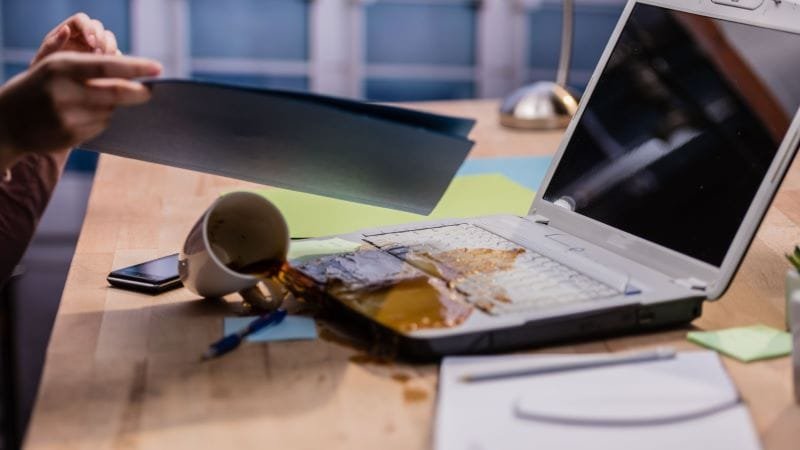
Liquid objects in general can conduct electricity so they can cause damage if the computer is exposed to liquid spills.
Although you might be tempted to enjoy a cup of coffee while checking your email in the morning, always avoid eating or drinking near the computer to reduce the risk of spills.
What every computer user should know is to avoid placing food and drinks near the computer. Placing food and drinks near the computer carries a high risk of spillage even if you are careful.
Don't Click Excessively when the Computer Is Not Responding
It doesn't matter whether using Linux, macOS or Windows, when something doesn't work, usually the user's action is to start clicking on something multiple times.
Random and/or excessive button clicking can do more harm than good. Multiple clicks made by the user will continue to be processed when the computer starts to respond.
Do it Faster with Shortcuts
Using keyboard shortcuts instead of the mouse allows you to work faster, more efficient, and with increased precision, thereby saving time and increasing your productivity.
Learn 7 Windows-11 Keyboard Shortcuts to Access Advanced Features And 10 Word Shortcut Keyboard Function to Become Professional
That's it 7 things that every computer user should know as the best effort to anticipate various risks that might occur. Read too Microsoft PC Manager: 1 Free Solutions for PC Maintenance
Hope it is useful.