This article explains how to create a new User or new local user account in Windows-11. Microsoft's newest operating system recognizes two types of users, user with a Microsoft account (using e-mail) and users without Microsoft account (without email). Each type of user has its own advantages.
If you share a computer Windows-11 with family members or co-workers, You need to create a new user for each user to use in Windows-11 . By using different Users, The privacy and files of each user will be protected.
Creating a local user on Windows-11 is quite confusing and not as easy as on Windows-7. This guide will show the steps in creating a new user at Windows-11 without using email, or local account.
Steps to Create a New User in Windows 11:
List of contents:
Follow these steps to create a new User on Windows-11 without using email (Local account)
Total Time: 5 minutes
Step 1: Open Settings
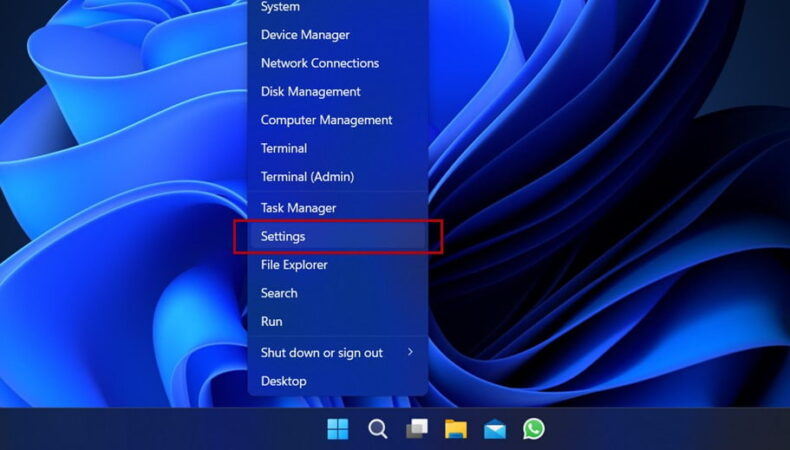
Right click on the Start Menu then click Settings, then the Settings window will open
Step 2: Go to Account Settings
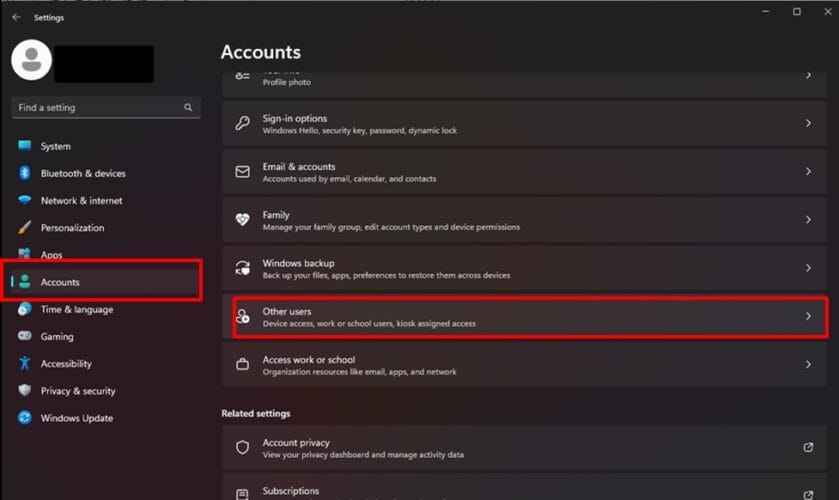
In the Settings window, choose Accounts then click Others users
Step 3: Add Account
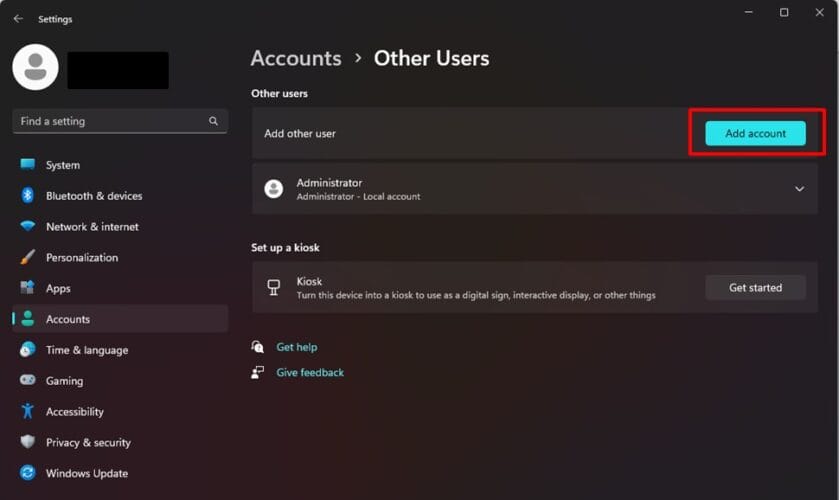
Click Add account, then the dialog box Microsoft Account will be open
Step 4: Select Sign-In Options
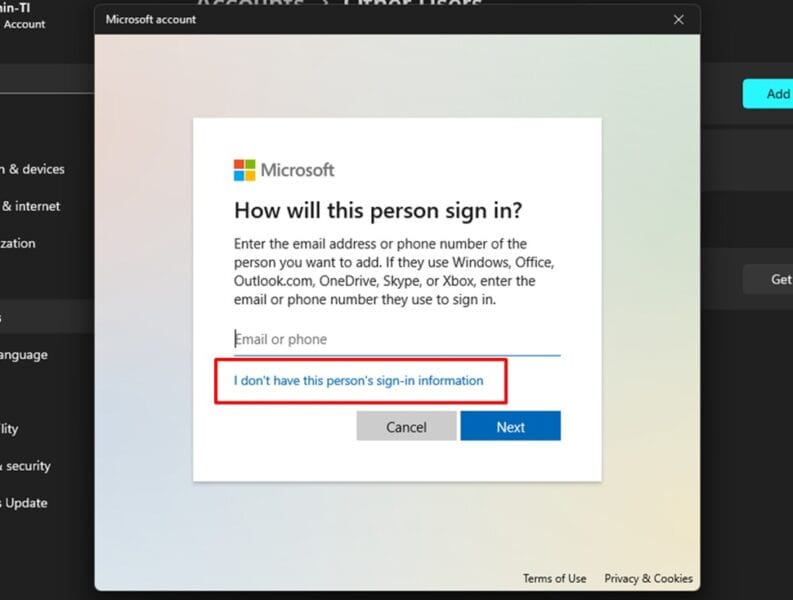
In the dialog box Microsoft Account, click text I don’t have this person’s sign-in information
Step 5: Add User
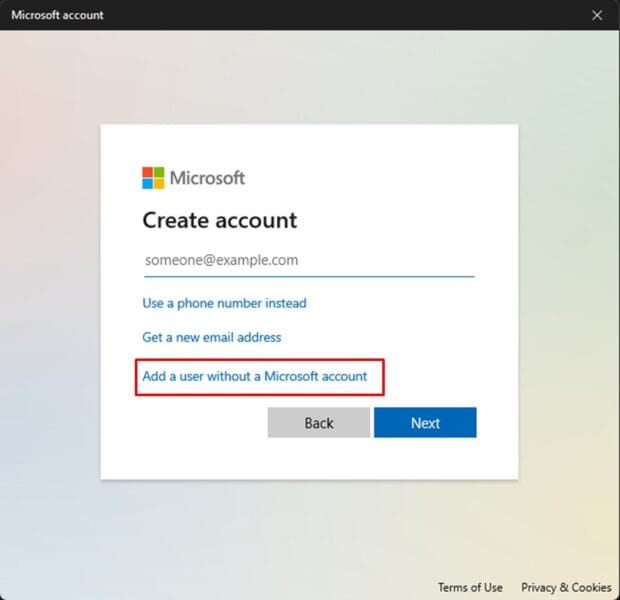
Choose Add a user without a Microsoft account
Step 6: Input Name and Password
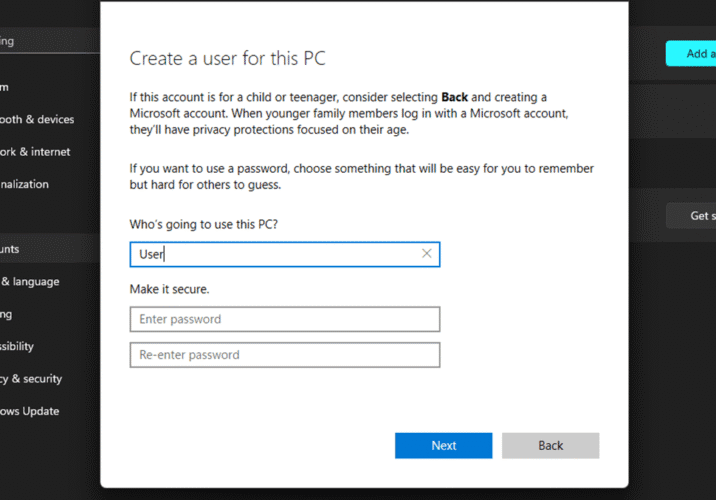
Type a username, for example User. If you want to add a password, type the password then repeat it in the field below it then click Next
Step 7: Change User Type (optional)
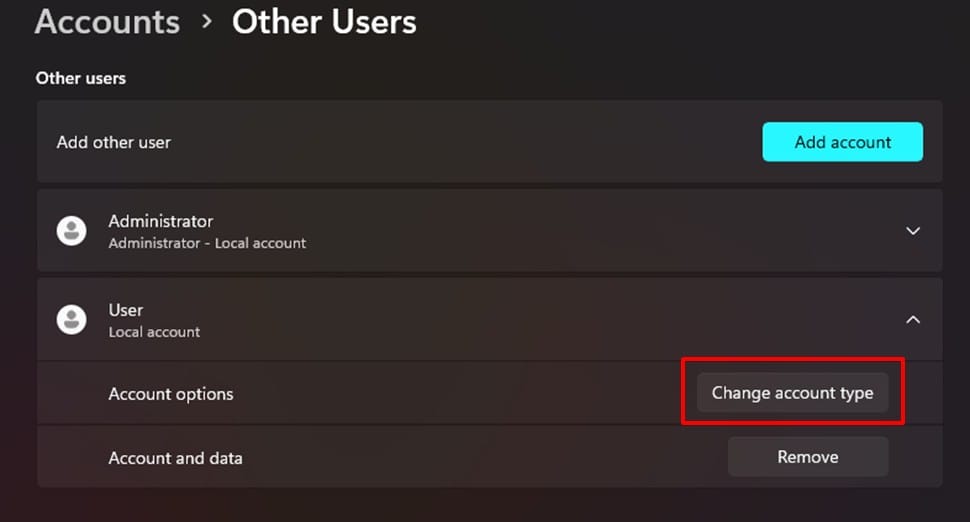
For security reasons, You may need to change the user type to standard user, click Change account type then select the user type. In the field Account type, choose Standart User then click OK
Conclusion
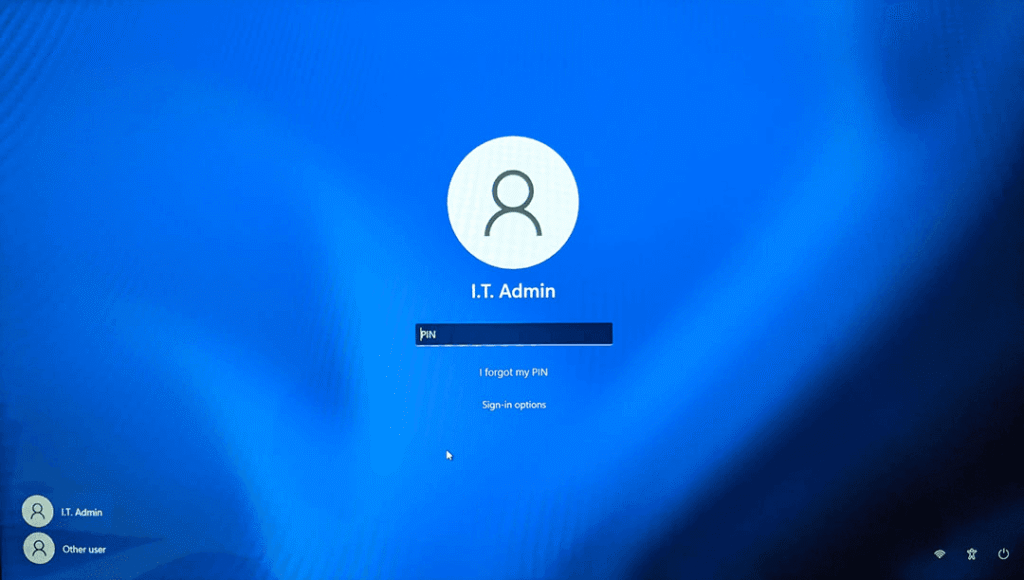
By following the steps mentioned above, You can now create a new user on Windows-11 no email and changed the user type to standard. Standard type users are suitable for everyday computing use.
You can now try logging in using the newly created user account. After logging in, The system will create a configuration for the account and it will take a few minutes, wait for the process to complete.
After successfully creating a New User in Windows 11, Increase your computer security with best tips for maintaining Windows computer security.
Watch video how to create a new user in Windows 11 without Email.
Hope it is useful.